
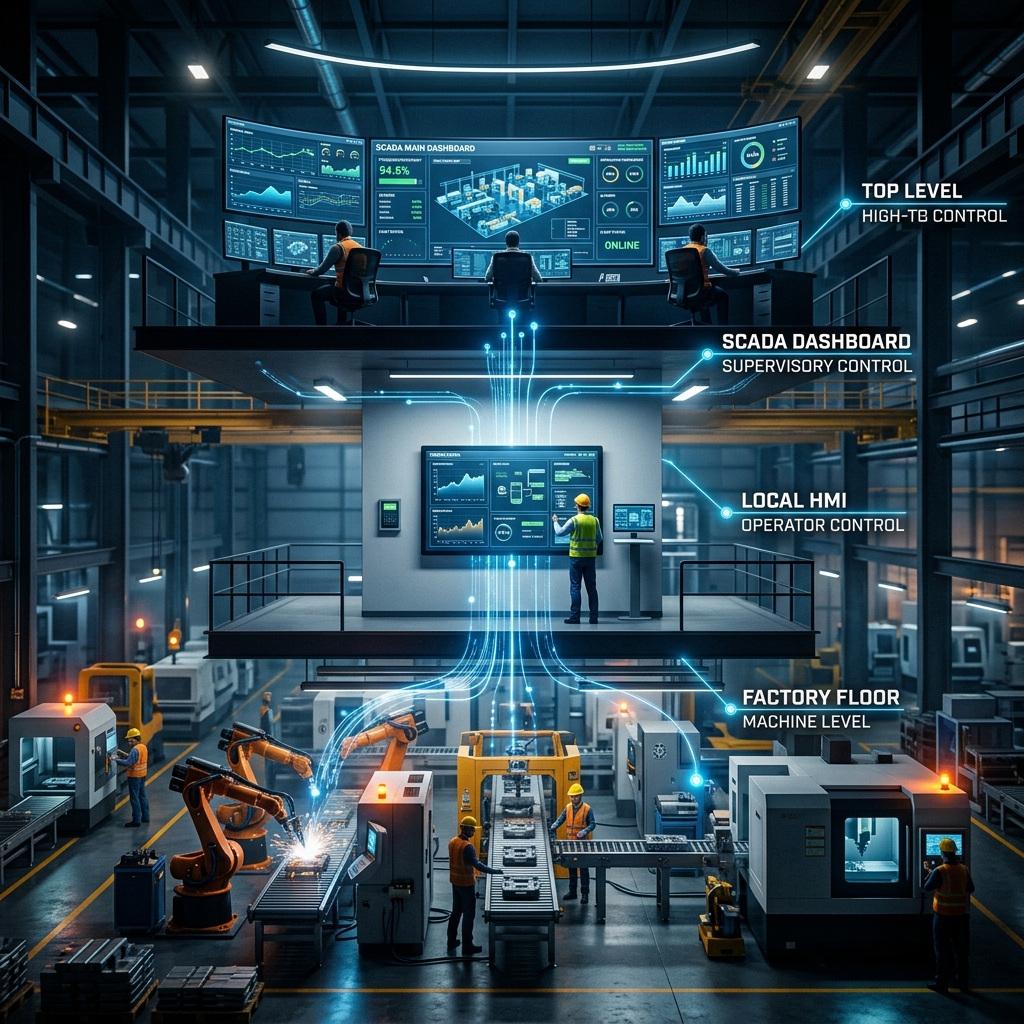
Industrial automation terminology can easily confuse non-technical executives, plant directors, and project managers. Acronyms like PLC, HMI, and SCADA are frequently grouped together during panel upgrades and factory modernization meetings, leading many stakeholders to wonder if these technologies perform the same job.
While all three components work in harmony to automate modern production lines, they occupy distinct levels within the industrial automation architecture. Conflating a local operator panel with a factory-wide supervisory network or confusing a real-time logic controller with a visualization screen can lead to costly engineering mistakes, bloated hardware budgets, and misaligned project scopes.
To help non-technical decision-makers make informed choices, this guide maps out the standard ISA-95 industrial automation hierarchy. We will break down the exact roles of PLCs, HMIs, and SCADA systems, explain how data flows between them, and provide a clear framework for specifying the right technology stack for your facility.
Mapping the Industrial Automation Hierarchy (The ISA-95 Pyramid)
To understand where each technology fits, control engineers rely on the ISA-95 Automation Pyramid. This global manufacturing model divides factory architecture into functional levels, ranging from physical machinery at the bottom to enterprise business software at the top.
Level 0: Field Devices and Physical Processes
At the base of the pyramid sits Level 0. This level includes physical hardware on the factory floor: electric motors, pneumatic valves, temperature probes, proximity sensors, photo-eyes, and conveyor drives. Level 0 devices measure physical conditions or perform physical work.
Level 1: Direct Control (PLC Layer)
Level 1 contains the real-time execution engine. Programmable Logic Controllers (PLCs) sit at this level. They read electrical signals directly from Level 0 sensors, execute programmed control logic in milliseconds, and command Level 0 actuators to open, close, start, or stop.
Level 2: Supervisory & Local Visualization (HMI & SCADA Layer)
Level 2 bridges the gap between hardware controllers and human operators. Local Human-Machine Interfaces (HMIs) allow operators to view and interact with individual machines. SCADA systems operate at a broader supervisory scale, aggregating operational data across multiple PLCs, production lines, or remote sites into a centralized monitoring station.
Level 3: Manufacturing Operations Management (MES Layer)
Level 3 manages production scheduling, batch tracking, overall equipment effectiveness (OEE), quality assurance, and maintenance workflows across the facility.
Level 4: Enterprise Planning (ERP Layer)
At the peak of the pyramid, Enterprise Resource Planning (ERP) systems handle business logistics, inventory, purchasing, customer orders, and financial management.
1. What is a PLC? (Level 1: The Industrial Muscle and Brains)
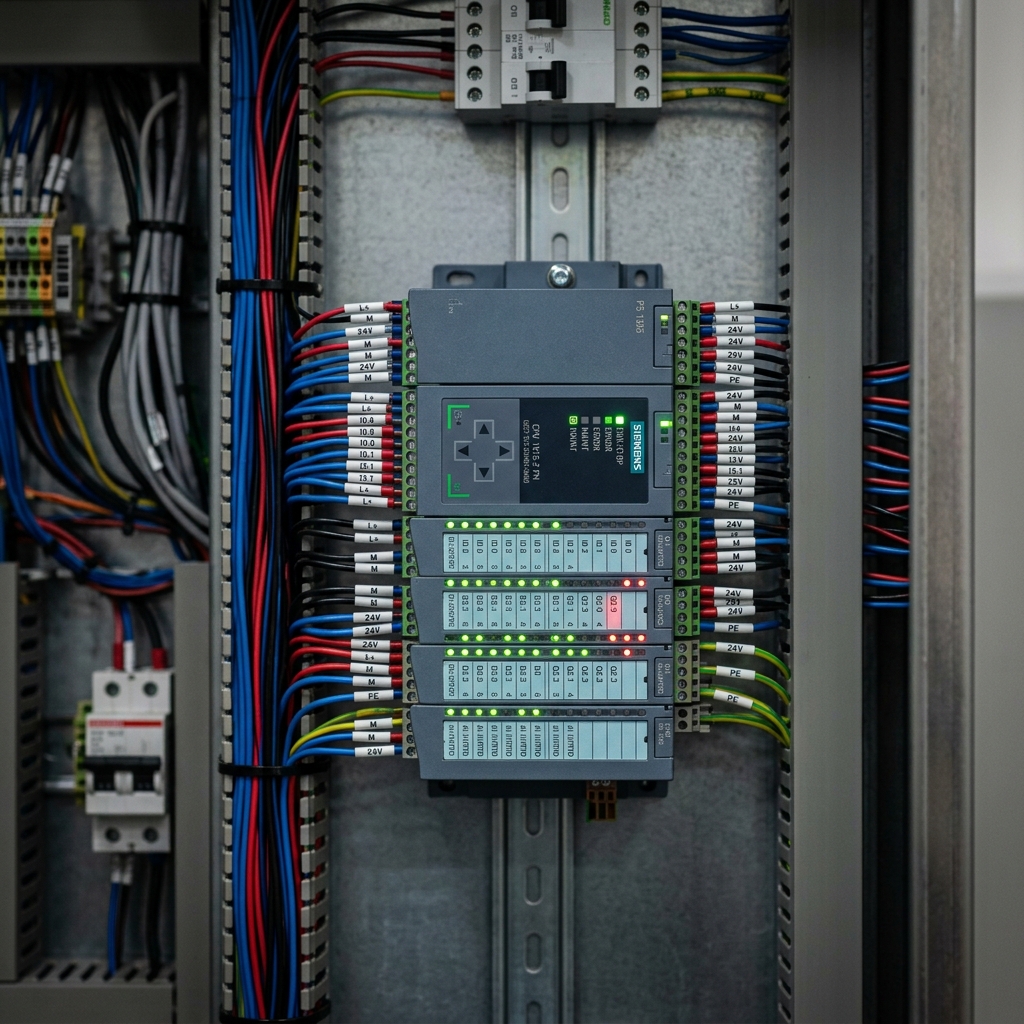
A Programmable Logic Controller (PLC) is a ruggedized, industrial-grade computer designed to execute control logic in harsh manufacturing environments. Unlike standard desktop computers, PLCs operate without a traditional operating system like Windows. Instead, they run a deterministic firmware loop.
Key Characteristics of a PLC
- Deterministic Real-Time Execution: PLCs scan inputs, process program logic, and update outputs within fixed, predictable time cycles (often sub-millisecond). This ensures precise motion, timing, and safety interlocks.
- Industrial Durability: PLCs contain no moving fans or standard hard drives. They are sealed to withstand electrical noise, severe vibration, dust, extreme temperatures, and moisture.
- No Direct Visual Interface: By default, a standard PLC has no display screen. It communicates status via small LED indicators or digital network feeds sent to an HMI or SCADA terminal.
Primary Purpose
The PLC executes automated routines independently. If a bottle reaches a capping station on a high-speed packaging line, the photo-eye sensor sends a signal to the PLC input card. The PLC logic instantly fires a pneumatic cylinder output to apply the cap. A PLC does not need human supervision to perform its core duty.
2. What is an HMI? (Level 2: The Local Window into the Machine)
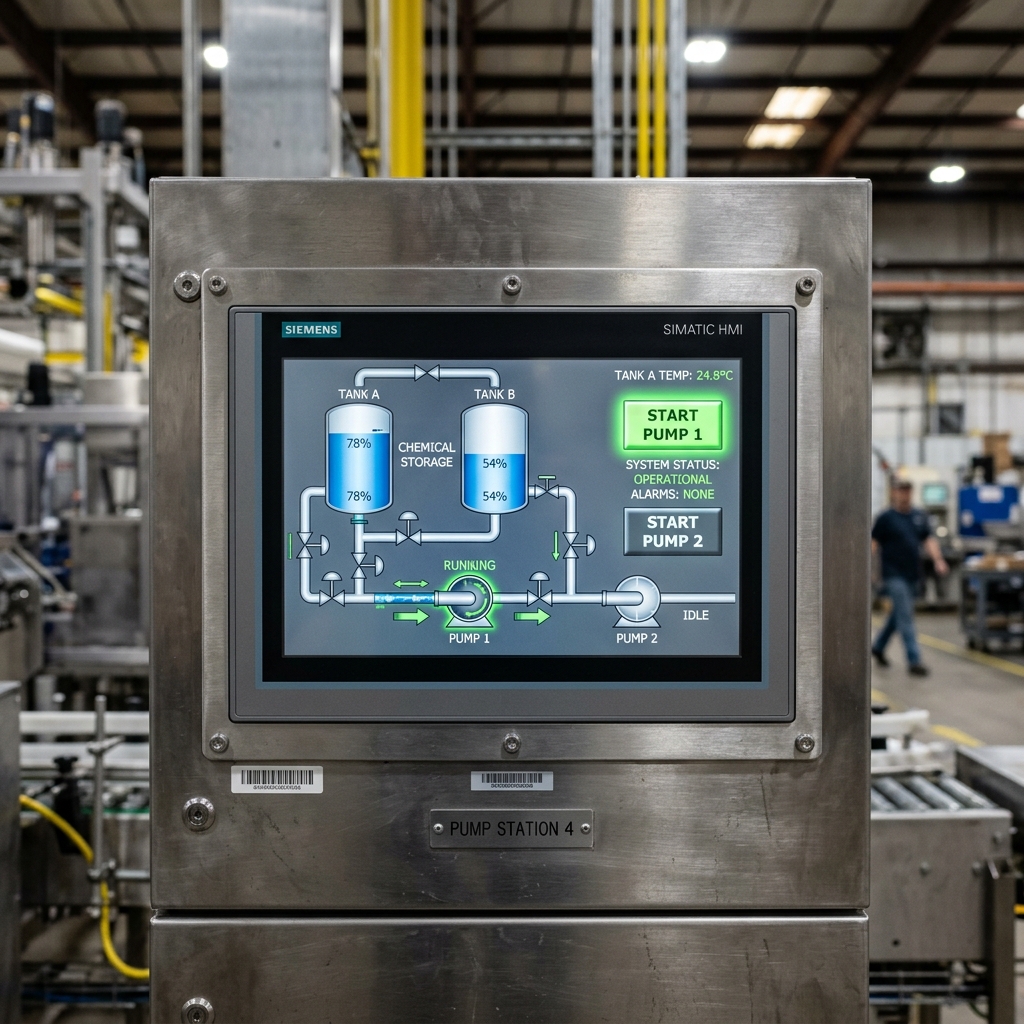
A Human-Machine Interface (HMI) is a specialized display screen attached directly to a machine or control panel. It acts as a visual interface, translating digital data from the PLC into graphical representations like gauges, buttons, animated pumps, and alarm banners.
Key Characteristics of an HMI
- Machine-Specific Focus: An HMI is typically mounted on or near a single automated cell, machine, or skid. Its scope is localized to the immediate process.
- Direct Operator Interaction: Machine operators use touchscreens or physical function buttons to start or stop cycles, adjust temperature setpoints, select product recipes, and clear local faults.
- Short-Term Data Visualization: HMIs display live values and short-term trend graphs. They generally store limited historical data, relying on upstream systems for long-term archiving.
Primary Purpose
The HMI converts complex control logic into intuitive graphical controls. Without an HMI, an operator would have no way to see inside a machine, adjust production setpoints, or identify why a line stopped without connecting a engineering laptop directly to the PLC.
3. What is SCADA? (Level 2/3: Plant-Wide Supervisory Oversight)
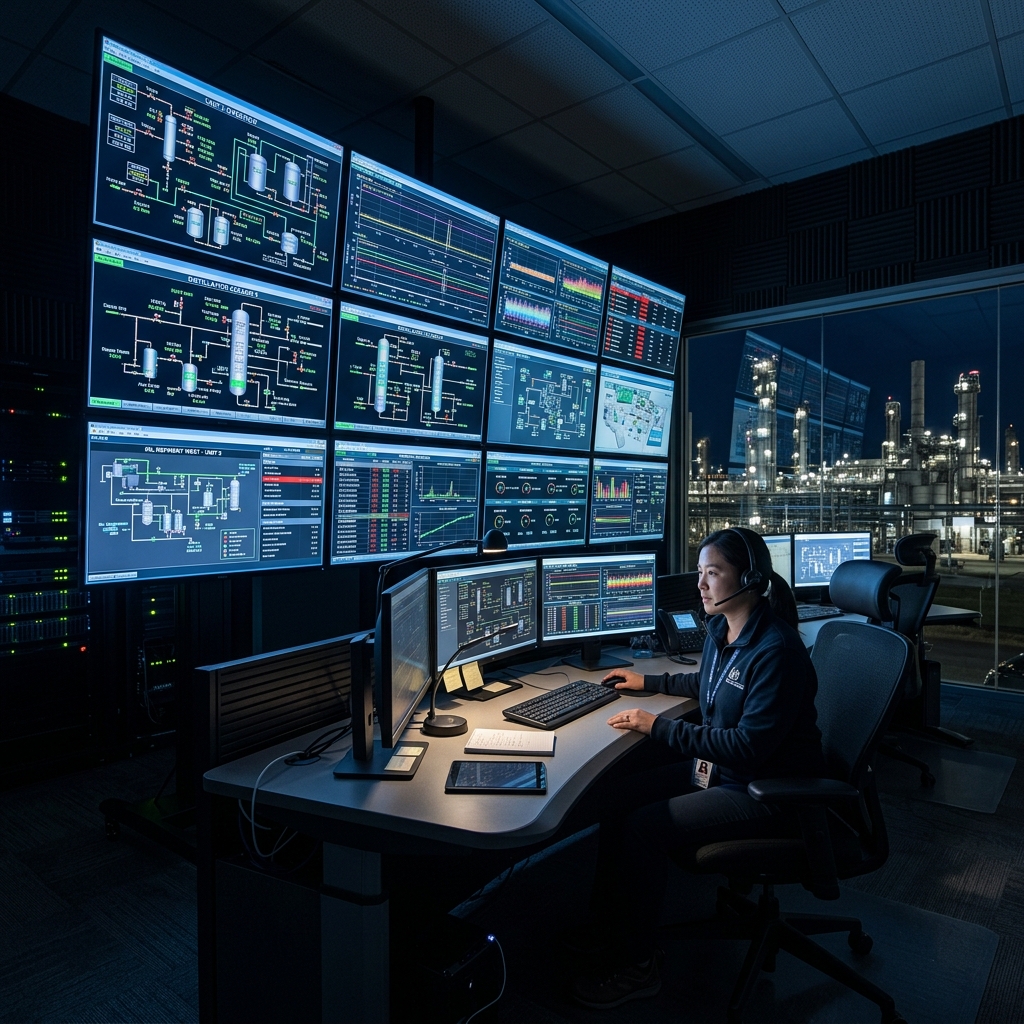
Supervisory Control and Data Acquisition (SCADA) is a comprehensive software architecture that collects data from multiple PLCs, HMIs, power meters, and remote telemetry units across an entire plant or multi-site network.
Unlike an HMI, which serves a single operator at a specific machine, SCADA provides centralized oversight for engineers, supervisors, and operations managers in a central control room.
Key Characteristics of a SCADA System
- Broad Enterprise Scope: SCADA oversees entire facilities or remote geographic networks (such as municipal water networks, oil pipelines, or multi-building food manufacturing plants).
- High-Capacity Data Historian: SCADA systems continuously record process variables, alarm histories, operator actions, and efficiency metrics into centralized SQL databases for years of traceability.
- Advanced Analytics and Reporting: SCADA platforms generate shift reports, track Overall Equipment Effectiveness (OEE), monitor energy consumption, and stream live telemetry to enterprise dashboards.
- Supervisory Remote Control: Authorized personnel can send high-level supervisory commands (such as initiating plant-wide washdown modes or adjusting master setpoints) across dozens of distributed field PLCs simultaneously.
Primary Purpose
SCADA provides executive visibility and centralized operational management. It aggregates data from dozens of individual machine-level PLCs and HMIs, transforming raw shop-floor signals into actionable business intelligence.
Direct Side-by-Side Comparison Matrix
To clarify how these technologies differ across technical parameters, review the comparison matrix below:
| Feature / Parameter | Programmable Logic Controller (PLC) | Human-Machine Interface (HMI) | SCADA System |
|---|---|---|---|
| System Level | Level 1 (Direct Control) | Level 2 (Local Interface) | Level 2 / Level 3 (Supervisory) |
| Primary Function | Executes logic & toggles I/O | Visualizes local machine status | Plant-wide monitoring & logging |
| Main Hardware | Rugged CPU & modular I/O cards | Industrial touchscreen panel | Centralized server & PC clients |
| User Interaction | None (Automated background logic) | Touchscreen taps, button pushes | Control room workstations & web |
| Response Time | Real-time, deterministic (ms) | Near real-time (100ms, 1s) | Supervisory timeframes (seconds) |
| Data Storage | Minimal (Current state values) | Limited (Short-term local logs) | Massive historical SQL databases |
| Operating Scope | Single machine or sub-system | Single operator panel station | Entire facility or multi-site |
| Typical User | Controls Engineers, Automation | Machine Operators, Technicians | Plant Managers, Operations Leads |
How They Work Together: A Real-World Scenario
To illustrate how PLC, HMI, and SCADA systems collaborate during daily production, consider an automated industrial beverage bottling facility:
- The Physical Process (Level 0): Liquid product flows into a pasteurization tank. A resistive temperature detector (RTD) monitors fluid temperature, sending an analog voltage signal to the control cabinet.
- The PLC Action (Level 1): The PLC input card receives the temperature reading. The PLC logic compares the temperature against the target setpoint. Seeing that the temperature is low, the PLC output module instantly sends a signal to open a steam control valve.
- The HMI Display (Level 2): Mounted on the side of the pasteurization vessel, the HMI screen displays a graphic of the tank turning from blue to red, along with a live digital temperature readout of 82°C. The local operator can tap the touchscreen to adjust the target temperature if needed.
- The SCADA Recording (Level 2/3): In the central control room, the SCADA system receives live data from the pasteurization PLC along with data from capping, labeling, and palletizing PLCs down the line. SCADA logs the exact pasteurization temperature every second into a long-term historical database to verify food safety compliance, while updating the plant manager's OEE dashboard in real time.
Engineering Decision Framework: What Does Your Facility Need?
When planning a control panel build, machine retrofit, or plant modernization project, specifying the correct combination of hardware prevents over-spending or under-specifying system capability.
1. You Only Need a PLC If:
- You are automating a standalone utility, such as a simple sump pump skid, automatic transfer switch, or basic conveyor section.
- The sequence is completely automated and requires no manual input, variable setpoint adjustments, or graphical visual monitoring.
2. You Need a PLC + HMI Combination If:
- You are building or upgrading an individual automated production machine.
- Operators must select product recipes, manually jog motors during setup, view active fault codes, or monitor live operating parameters directly at the machine panel.
3. You Need a Complete PLC + HMI + SCADA Network If:
- You manage a multi-stage production line, processing plant, or facility with multiple interconnected automated cells.
- Quality standards demand long-term data logging, batch record preservation, and automated audit trails.
- Plant leadership requires centralized control room monitoring, cross-line performance dashboards, automated downtime tracking, or remote alarming via email and mobile alerts.
Frequently Asked Questions (FAQs)
Can an HMI replace a PLC in an industrial automation system?
No. An HMI is a visual display interface, while a PLC is the real-time execution engine. While some hybrid units (known as All-in-One PLC+HMI controllers) combine both technologies inside a single housing, the underlying software architecture still maintains separate PLC logic processing and HMI screen rendering routines.
Is SCADA the same as an HMI?
No. An HMI provides localized machine visualization and control for a single operator panel. SCADA is a higher-level supervisory software platform that connects multiple PLCs and HMIs across a plant or remote geographic region, providing centralized data archiving, trend analysis, and facility-wide monitoring.
What is an All-in-One PLC + HMI Controller?
An All-in-One controller physically integrates a touchscreen HMI panel with a built-in PLC processor and I/O modules on the back. This eliminates separate cabinet display cutouts, reduces wiring complexity, and lowers hardware costs for OEM machinery.
Can a PLC operate without an HMI or SCADA system attached?
Yes. A PLC will reliably execute its programmed control logic in a continuous loop regardless of whether a display screen is connected. Many automated utility systems run continuously without any physical user interface.
What communication protocols connect PLCs to HMIs and SCADA systems?
Modern automation architectures rely on open industrial Ethernet protocols such as PROFINET, Modbus TCP, EtherNet/IP, and OPC UA. Older legacy installations may use serial communications like RS-485 running Modbus RTU or PROFIBUS.
Where does data logging occur in the automation pyramid?
Basic short-term alarm buffering occurs at the HMI level. Long-term historical data logging, continuous parameter archiving, and batch report generation are handled at the SCADA (Level 2/3) or Manufacturing Execution System (MES / Level 3) layer.
What happens to the PLC if the HMI screen fails or loses power?
Because the PLC runs its control logic independently on its own internal CPU, the physical machine will continue running safely even if the attached HMI display experiences a screen failure or loses power. However, operators will temporarily lose visual monitoring and setting controls until the display is restored.
Is SCADA hardware or software?
SCADA is primarily software installed on industrial computers or server networks. However, a complete SCADA architecture relies on field hardware (PLCs, remote telemetry units, and network switches) to collect and route data from physical plant sensors.
How does IIoT (Industrial Internet of Things) fit into PLC, HMI, and SCADA systems?
IIoT technologies complement traditional SCADA and PLC architectures by adding edge-computing gateways and MQTT cloud communication. This allows plant data to bypass traditional hierarchy bottlenecks and stream securely directly to cloud analytics platforms for predictive maintenance.
Can a small factory start with PLCs and HMIs and add SCADA later?
Yes. Modern control panel designs utilize scalable industrial networking. A facility can build individual automated machines equipped with local PLCs and HMIs today, and later link those controllers into a centralized SCADA software network as production expands.